Extension Adobe Illustrator untuk kontributor microstockAn Adobe Illustrator extension for microstock contributors
Berhenti export artboard satu per satu. Stop exporting artboards one by one.
Klik Export sekali, dan semua artboard di file .ai-mu keluar jadi EPS 10 dan JPG siap upload ke Shutterstock, Adobe Stock, atau Freepik. Namanya sesuai maumu, artwork-nya di tengah canvas, dan setiap EPS punya JPG dengan nama yang sama. Click Export once and every artboard in your .ai file comes out as an upload-ready EPS 10 and JPG for Shutterstock, Adobe Stock, or Freepik. Named the way you want, artwork centred on the canvas, and every EPS paired with a JPG of the same name.
4 menitmin 31 detiks untuk 64 artboard ikon jadi EPS 10 + JPG 5000×5000 px, diukur di laptop pembuatnya.to turn 64 icon artboards into EPS 10 + 5000×5000 px JPG, timed on the maker’s laptop.
Adobe Illustrator CC 2019 ke atas · Windows · 30 artboard pertama dapat semua fitur PROAdobe Illustrator CC 2019 or later · Windows · your first 30 artboards get every PRO feature
“Sehari aku bisa bikin sekitar 64 artboard ikon. Yang bikin capek justru bagian sesudahnya: export EPS 10 dan JPG satu per satu, kasih nama, cek pasangannya. Berjam-jam.”
“Jadi aku bikin panel yang mengerjakan semua itu sekali klik.”
“On a good day I draw about 64 icon artboards. The tiring part comes after: exporting EPS 10 and JPG one by one, naming them, checking the pairs. Hours of it.”
“So I built a panel that does all of that in one click.”
- Dulu, satu per satuBefore, one at a time
- Berjam-jamHours
- Sekarang, dengan panelNow, with the panel
- 4:31
Export EPS 10, export JPG, ketik nama, cek pasangan. Diulang untuk setiap artboard.Export EPS 10, export JPG, type the name, check the pair. Repeat for every artboard.
Menit untuk 64 artboard ikon, EPS 10 + JPG 5000 px, satu klik. Desain yang lebih rumit butuh waktu lebih lama.Minutes for 64 icon artboards, EPS 10 + 5000 px JPG, one click. More complex artwork takes longer.
Jangan percaya kata-kata. Klik Export.Don’t take our word for it. Click Export.
Ganti nama artboard, pilih format, lalu klik Export. Begitu rasanya kerja pakai panel ini. Yang di sini simulasi di browser; panel aslinya jalan di dalam Adobe Illustrator dan menulis file sungguhan.Rename the artboards, pick formats, and click Export. That is what working with the panel feels like. This one is a browser simulation; the real panel runs inside Adobe Illustrator and writes real files.
 Microstock Exporter
PRO
Microstock Exporter
PRO
Folder masih kosong. Klik Export di panel.The folder is empty. Click Export in the panel.
Perhatikan nama filenya: spasi otomatis jadi tanda hubung, dan setiap EPS bernama sama dengan JPG-nya, jadi agensi memasangkannya sendiri saat upload. File .ai aslimu nggak disentuh.Spaces become hyphens and every EPS shares its name with its JPG, so agencies pair them on upload. Your .ai file stays untouched.
Dari file .ai ke folder siap upload.From .ai file to upload-ready folder.
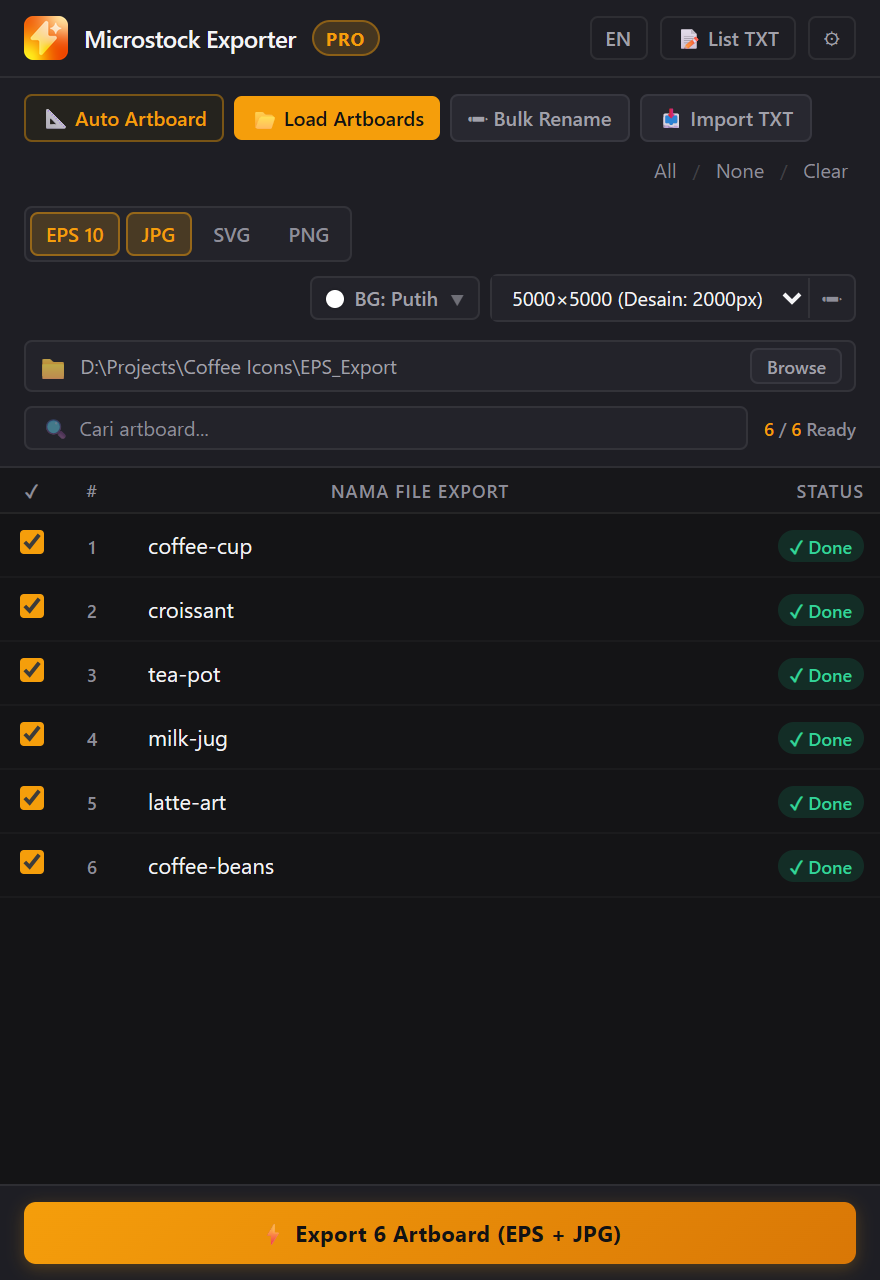
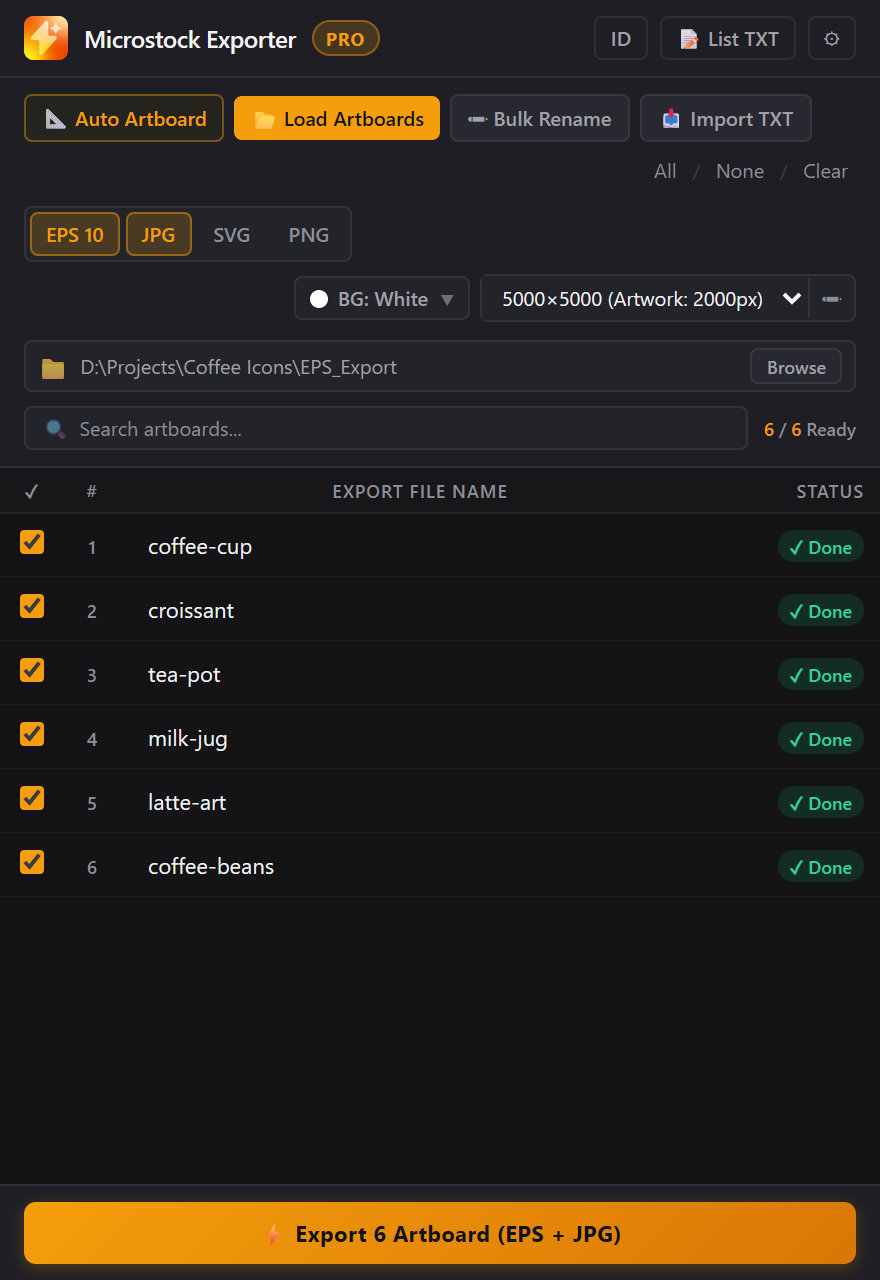
Empat langkah, semuanya di satu panel yang terbuka di Illustrator lewat Window → Extensions. Screenshot di bawah diambil dari panel versi jual.Four steps, all in one panel that opens inside Illustrator from Window → Extensions. The screenshots come from the shipping panel.
-
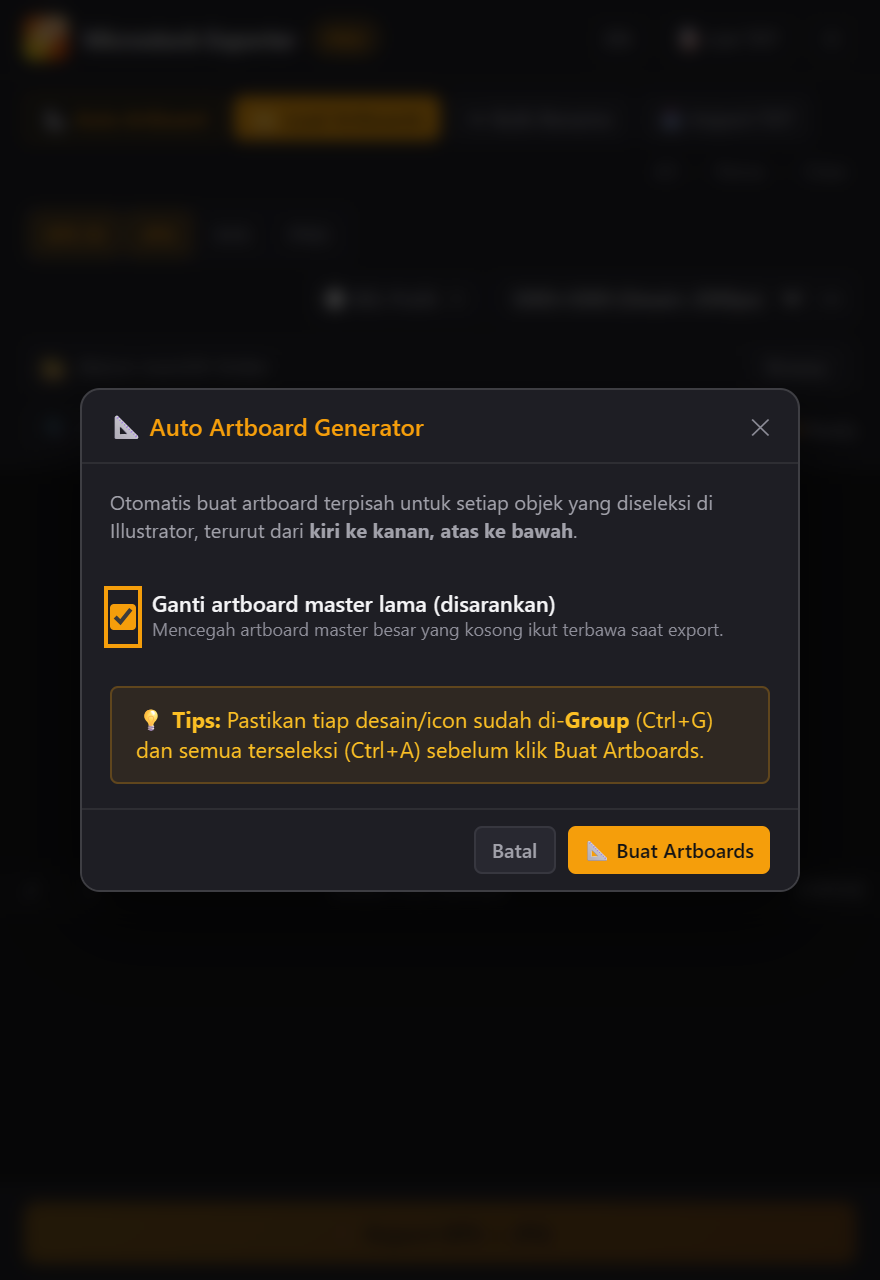
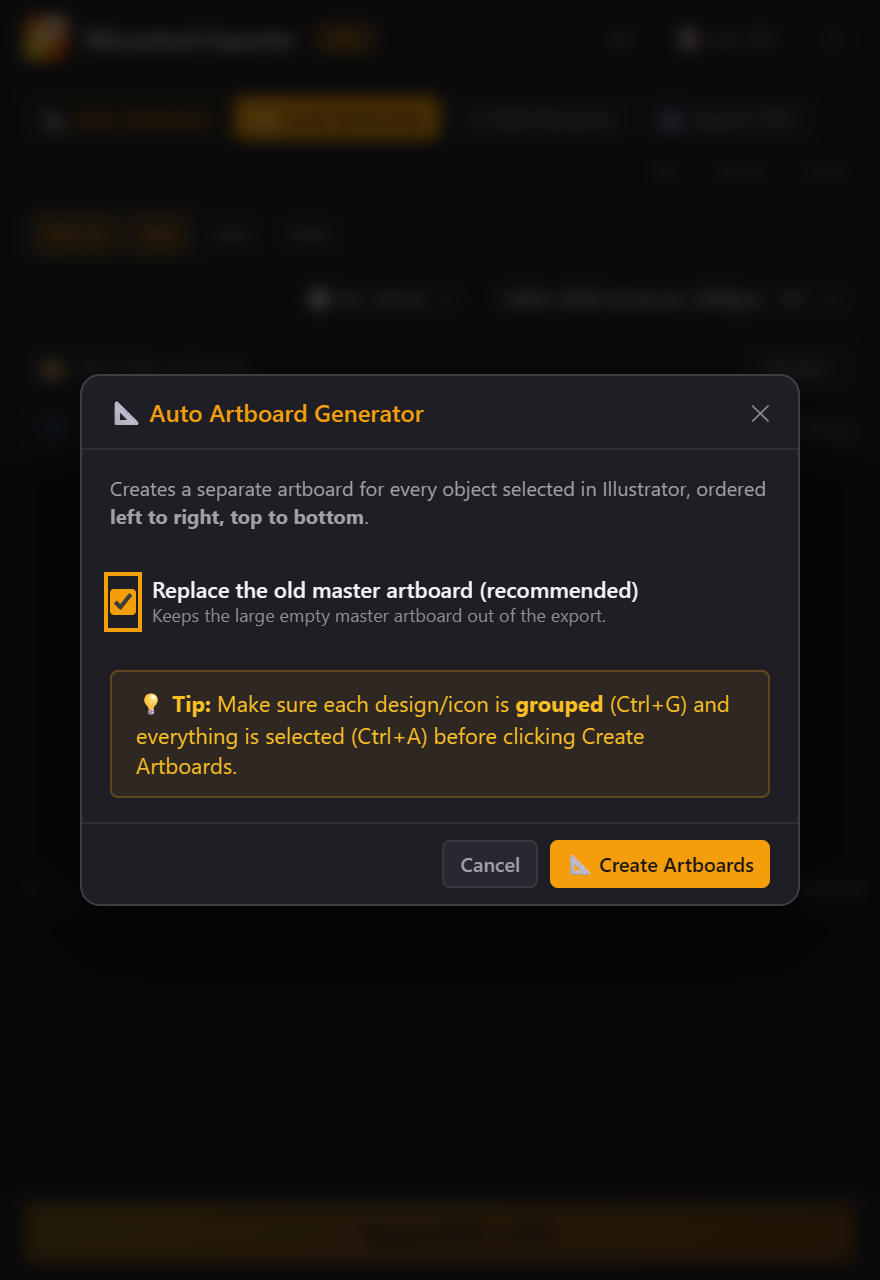 01
01Buat artboard otomatisMake artboards automatically PRO
Semua ikon masih di satu artboard besar? Grup tiap ikon, pilih semua, klik Auto Artboard. Tiap ikon dapat artboard sendiri, urut kiri ke kanan, atas ke bawah.All your icons still on one big artboard? Group each icon, select all, click Auto Artboard. Every icon gets its own artboard, left to right, top to bottom.
-
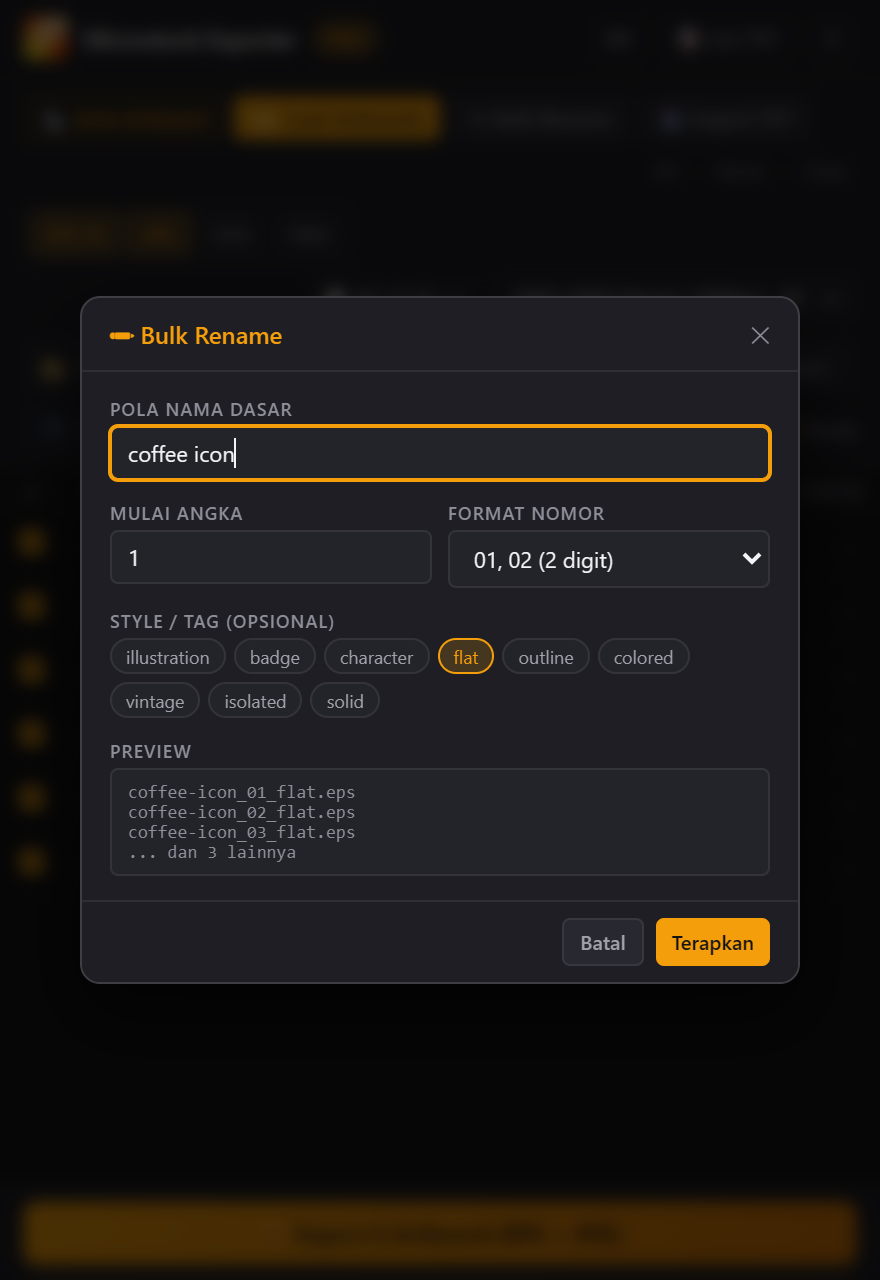
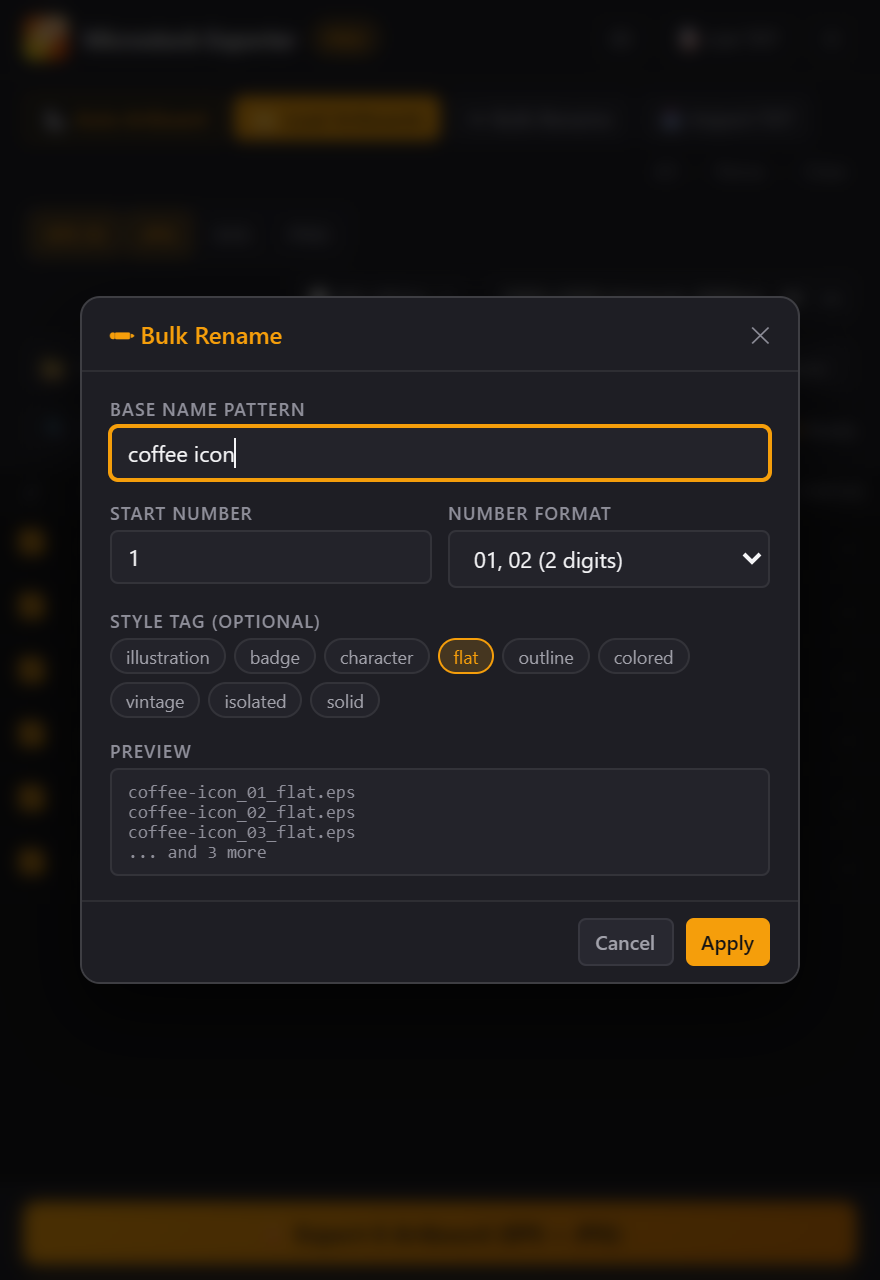 02
02Muat dan beri namaLoad and name
Ketik nama satu per satu kalau mau. Atau isi semuanya sekaligus: Bulk Rename untuk pola + nomor urut + tag style, Import TXT untuk daftar nama yang sudah kamu siapkan.Type names one by one if you like. Or fill them all at once: Bulk Rename for pattern + numbering + style tag, Import TXT for a name list you already have.
-
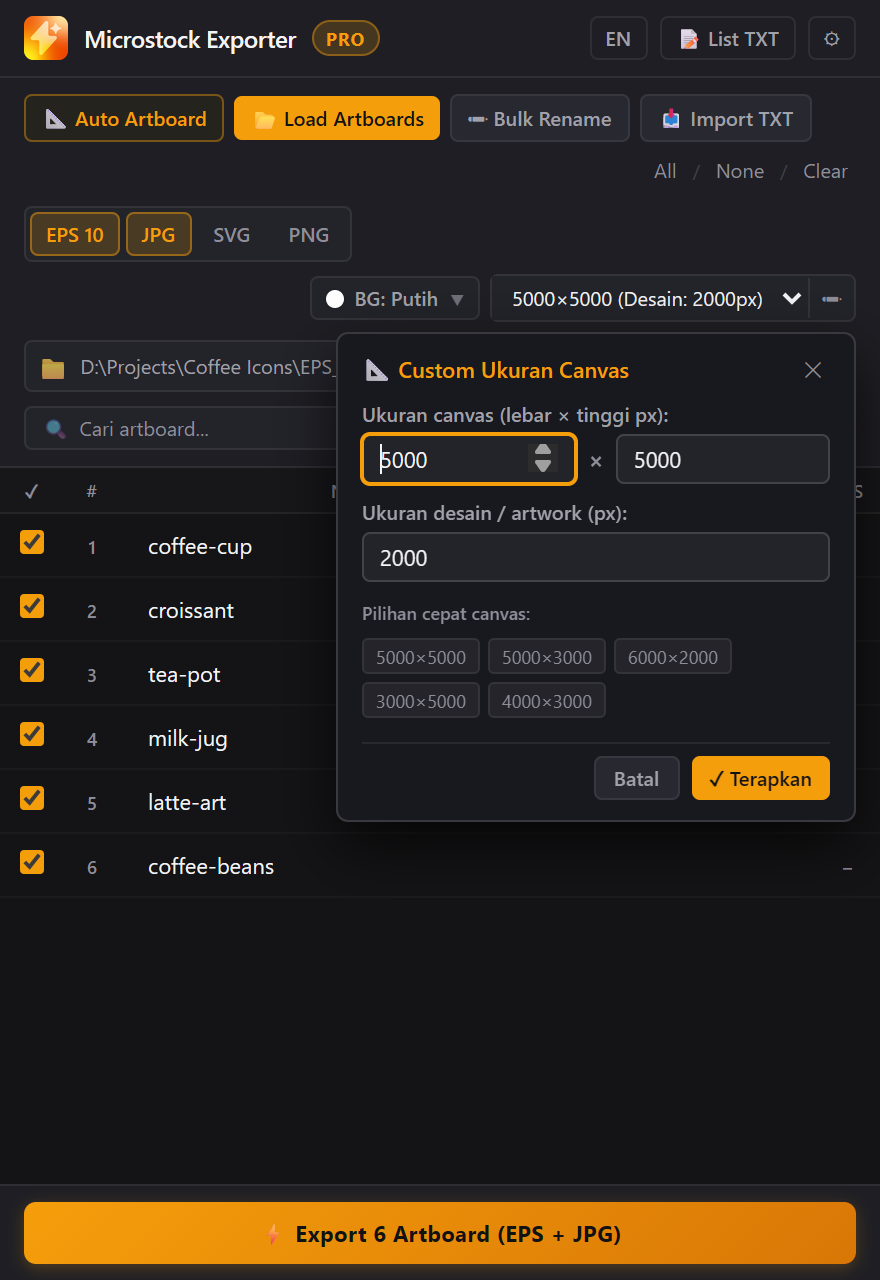
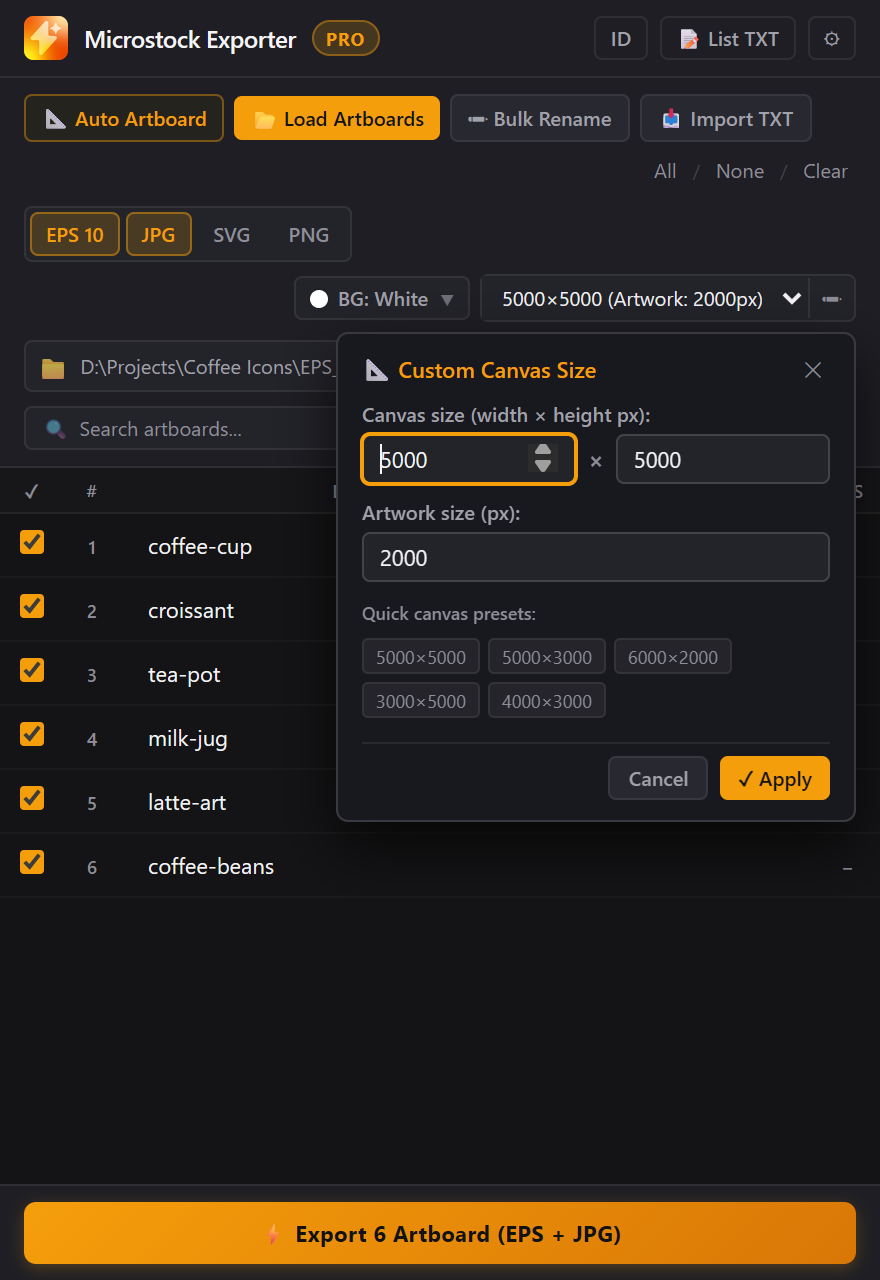 03
03Format, ukuran, backgroundFormats, size, background
Centang EPS 10, JPG, SVG, atau PNG transparan. Pilih canvas 5000×5000 atau ukuran lain. Artwork di-scale proporsional dan ditaruh di tengah, di atas background vektor solid.Tick EPS 10, JPG, SVG, or transparent PNG. Pick a 5000×5000 canvas or any other size. Artwork is scaled proportionally and centred on a solid vector background.
-
04
Export
Klik sekali, lalu tinggal ditunggu. Teks di-outline dan stray points dibersihkan otomatis, dan setiap artboard menunjukkan statusnya. Mau berhenti di tengah jalan juga bisa.Click once, then wait. Text is outlined and stray points are cleaned up automatically, and every artboard shows its status. You can stop halfway too.
File yang kamu dapat.The files you get.
- Canvas
- Ukuran asli artboard, preset, atau custom W × H 100–16000 pxOriginal artboard size, a preset, or custom W × H 100–16000 px
- Artwork
- Di-scale proporsional (default 2000 px), di tengah canvasScaled proportionally (2000 px by default), centred
- VektorVector
- EPS (Illustrator 10), SVG
- Raster
- JPG quality 100, PNG 24-bit transparanJPG quality 100, 24-bit transparent PNG
- WarnaColour
- JPG dan PNG RGB. EPS mengikuti dokumen.JPG and PNG RGB. EPS follows the document.
- Background
- Putih, hitam, slate, cream, atau hex sendiriWhite, black, slate, cream, or your own hex
- Pre-flight
- Outline teks, bersihkan stray points, Expand StrokesOutline text, remove stray points, Expand Strokes
- KompatibelRuns on
- Illustrator CC 2019+, Windows, panel ID/ENIllustrator CC 2019+, Windows, panel EN/ID
Coba dulu, bayar kalau cocok.Try it first, pay if it fits.
Download gratis dan pakai semua fitur PRO untuk 30 artboard pertama, cukup untuk mencoba di file kerjamu sendiri. Setelah itu panel tetap jalan sebagai FREE. PRO sekali bayar, tanpa langganan.Download it free and use every PRO feature on your first 30 artboards, enough to try it on your own work files. After that the panel keeps running as FREE. PRO is a one-time payment, no subscription.
Gumroad · kartu kredit, PayPal · dolarcard, PayPal · US dollars
Free
30 artboard pertama dengan semua fitur PRO, lalu EPS 10 ukuran asli sampai 10 artboard per hari.First 30 artboards with every PRO feature, then EPS 10 at original size, up to 10 artboards a day.
Coba gratis 30 artboardTry 30 artboards freePRO
Semua fitur tanpa batas artboard. 1 lisensi untuk 1 perangkat. License Key dikirim otomatis ke email.Every feature, no artboard limit. One licence per device. License Key arrives by email.
Beli PRO di GumroadBuy PRO on GumroadLynk.id · transfer bank, e-wallet, QRIS · RupiahIndonesian bank transfer, e-wallet, QRIS · Rupiah
Free
30 artboard pertama dengan semua fitur PRO, lalu EPS 10 ukuran asli sampai 10 artboard per hari.First 30 artboards with every PRO feature, then EPS 10 at original size, up to 10 artboards a day.
Coba gratis 30 artboardTry 30 artboards freePRO
Semua fitur tanpa batas artboard. 1 lisensi untuk 1 perangkat. License Key dikirim lewat WhatsApp setelah kamu kirim Hardware ID.Every feature, no artboard limit. One licence per device. License Key comes on WhatsApp after you send your Hardware ID.
Beli PRO di Lynk.idBuy PRO on Lynk.id| FiturFeature | FREE | PRO |
|---|---|---|
| Load artboard dan rename manualLoad artboards and rename by hand | ✓ | ✓ |
| Export EPS 10 (ukuran asli)EPS 10 export (original size) | 10 / hari10 / day | tanpa batasunlimited |
| Background putih, outline teks, bersihkan stray pointsWhite background, outline text, remove stray points | ✓ | ✓ |
| Export JPG, SVG, PNGJPG, SVG, PNG export | – | ✓ |
| Preset dan custom ukuran canvasCanvas presets and custom sizes | – | ✓ |
| Warna background lainOther background colours | – | ✓ |
| Auto Artboard, Bulk Rename | – | ✓ |
| Import TXT, Export List TXT, Expand Strokes | – | ✓ |
Install dan aktivasi.Install and activate.
- Tutup Adobe Illustrator.Close Adobe Illustrator.
- Klik gandaDouble-click
install-windows.bat. - Buka Illustrator, laluOpen Illustrator, then
Window → Extensions → Microstock Exporter Pro.
Lynk.id · kirim Hardware ID dari panel ke WhatsApp penjual, terima License Key (MSE1-), paste di panel. Tanpa internet.send the Hardware ID from the panel on WhatsApp, receive a License Key (MSE1-), paste it in. Works offline.
Gumroad · License Key dikirim ke email. Paste di panel dan klik Aktifkan PRO saat online.License Key arrives by email. Paste it and click Activate PRO while online.
FAQ
Bisa dipakai di Mac?Does it work on a Mac?
Belum. Saat ini hanya Windows.Not yet. Windows only for now.
Apakah file .ai-ku diubah?Does it change my .ai file?
Tidak. Objek yang dikunci ikut ter-export, objek yang disembunyikan tidak.No. Locked objects are exported, hidden ones are not.
Setelah 30 artboard gratis habis?After the 30 free artboards?
Panel jadi FREE: EPS 10 ukuran asli, background putih, maksimal 10 artboard per hari.The panel switches to FREE: EPS 10 at original size, white background, up to 10 artboards a day.
Satu lisensi untuk berapa perangkat?How many devices per licence?
Satu. Ganti laptop atau install ulang Windows? Hubungi penjual untuk reset perangkat.One. New laptop or Windows reinstall? Contact the seller for a device reset.
Perlu internet terus?Does it need to stay online?
Tidak. Lisensi Gumroad dicek ulang tiap 14 hari saat online dan tetap PRO offline sampai 30 hari.No. Gumroad licences re-check every 14 days when online and stay PRO offline for up to 30 days.
Satu klik terakhir.One last click.
Halaman ini juga dibuat dari artboard. Export semuanya.This page is made of artboards too. Export them all.
Delapan artboard, satu klik. Sekarang coba di file .ai-mu sendiri.Eight artboards, one click. Now try it on your own .ai file.